Showing posts with label Notes. Show all posts

Tuesday, March 31, 2009

Just A Reminder

Sylph PapercraftFor those following Icthus7' Legend of Zelda Koroks papercraft series, if and when you finish the whole thing, be sure to take a photo and send it to the designer - you'll get a bonus for you hardwork.

The Koroks include Hollo, Irch, Olivio, Oakin, Makar, Linder, and Rown, the bonus is a sylph papercraft model (pic above) - Sylphs are elemental beings believed to inhabit the air and are usually female.

Just a reminder ^_^

Tuesday, January 22, 2008

Papercraft Beware!


This quick post is specifically for people that are new to papercrafts, so read on. Majority (97%) of the paper models you see on this site are free, and all of them are downloadable from the internet, there are a few that are not and I do mention it if you need to buy them. I like things that are free, so it saddens me to see people getting tricked in to paying for stuff that is readily available to them at no cost whatsoever, all they have to do is Google it. We'll just show an example of a scammer trying to cash in on free papercraft patterns from the net

This post came about when I received an email from reader vehbelfets, she requested for me to check out a link to an eBay seller who's selling papercrafts to see if it was a good deal. So I followed the link to check it out and this is what I saw.


I captured a screenshot just in case the seller decides to close the items early. We're not going to mention the sellers name but we'll just refer to them as Company KXM. They described themselves as an international online-based e-trading company (yeah right), and they're selling a lot of papercraft models (that are free for downloading on the net) alongside some legit items?

I browsed through their eBay listings and clicked on item number: 150207003516, well use this for our example. It's 21 Neon Genesis Evangelion papercrafts in ebook format, what's wrong with that? I noticed that majority of the paper models are from the Webdude, which we've featured here on our site many times and as we all know, the Webdude's models are always free - as in, go to his site and download it there for free.


The KXM company also tries to protect themselves by stating that they are "not" the owner of the the goods that are being sold on their eBay page but instead acts only on behalf of the "real" seller, again, yeah right.

There are a lot more others like this on eBay and other popular online auction sites, so beware of their presence. What's the point of all this? I just wanted to advice you to do your homework before parting ways with your greens. But if some of you want to pay for something free, then good luck to that.

And what about vehbelfets? I've told her that the listings are no good and pointed her to the right place.

Friday, April 6, 2007

Book Recommendation - Papercraft Zoo

You've probably seen most of the cute papercraft models featured here like this Corgi, or this giraffe, and even this other dog, they were all created by Kei Goto from the revered KeiCraft Papercaft Studio in Japan. We seldomly see this finely crafted and simplistic style of papercrafts here in the US, and rarely do they sell these on the popular online bookstores - unless you go look for it on some specialty store and wouldn't mind paying extra on oversees shipping. So when I found out that Kei's bestselling book, "Papercraft Zoo", has been made available again here in the US through Amazon.com, I've decided to personally recommend this and insist that beginners and collector's alike should not miss this one and buy a copy of it while it's available locally. The papercrafts on this book are easy to assemble and the price is very much affordable. Follow the link on the bottom of this post to go directly to it's Amazon page.


Papercraft Zoo [via Amazon]

Saturday, March 31, 2007

Update 03.31.07

As you might have noticed the site is a bit of a mess right now and it's not looking like it used to, I've just recently switched to the new version of Blogger and having customized my old template (Minima / 3-column) I've encountered some problems from the upgrade. Blogger has added a Layout feature which would enable the casual user to easily modify their templates without any knowledge of HTML or CSS, but in the process has made it difficult for me since I have to familiarize myself with the new custom tags and widget tags that they added to enable the easy drag-and-drop function of the layout editor. I've gotten the new 3-column template figured out and hopefully I'll be able to finish this upgrade in a day or two and post some more papercrafts for you guys.

Monday, March 19, 2007

TechBrew/FeedBurner Contest

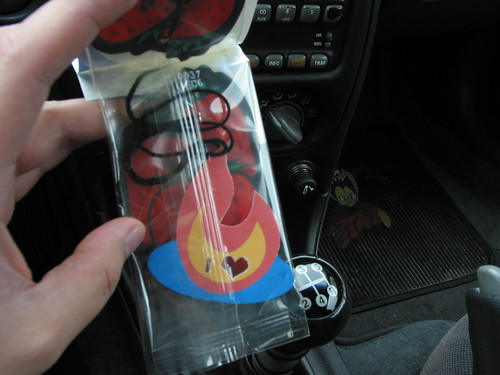
Just want to let you guys know I recently won a contest from TechBrew.net about showing off your creativity, my prize, a FeedBurner Total Stats Pro account for one year. Made a papercraft Feedburner Car Freshener, in case you were wondering.

Special thanks goes to:

Mark Woodman [TechBrew.net]
Jessica Graeser [Feedburner.com]

Thursday, March 1, 2007

Update 03.01.07

We've got an improved search function for the Categories section, it's now more accurate. I've started fixing the broken links, so check back from time-to-time to see what's been uploaded already. Also, for those who want to request files please use a proper email address and not Blogger's anonymous commenting, your more than likely to get an answer if your not anonymous.

Re-uploaded paper model files:
  1. Cactuar
  2. Moogle
  3. Catbus
  4. Jiji
  5. NoFace
  6. Shadow the Hedgehog
  7. Sonic the Hedgehog
  8. Kitaro's House
  9. Wicked Wench

Friday, February 9, 2007

Back From The Grave

I'm looking for people who would like to join Paperkraft.net as a contributor/blogger. If you have crazy skills in paper crafting (paper models, origami, etc.) send me an email describing why you want to join and some sample photos of your work. You don't have to design your very own paper craft, you can create whatever model you can find on the net and then take pictures of it like you would if you where going to post it on a blog (so I could see your photography skills). Obviously you will also need to have your own digital camera or whatever it is you use to take pictures (having a video camera would be nice but not necessary). There will be no financial gain in this endeavor(coz' there isn't any), only a chance to show the world how great you are with paper crafts.

Tuesday, August 1, 2006

Update - 08.01.06


I've been receiving a lot of email with regards to Ryo's paper models changing address all the time, I haven't had the time to ask him why, so I've decided to put them up in a bundle (zipped) for easy downloading, I only included those paper models that I've already done and posted on this site, if you want to see or download Ryo's other works then head on to his site.

Ryo Tokisato - Web Site

Monday, February 13, 2006

Compression Software Basics

I just received an email from one of our readers and she had problems opening the file she downloaded from the previous post about Klonoa, she said that the file is neither PDF nor PDO but LZH.

I'm going to to a brief discussion on this problem, the LZH file is not a different kind of paper craft pattern but instead it is a compression file and is also known as an archive file, what this means is that the provider of the paper craft pattern has used a compression software to compress the PDF file, they do this so that it would be easily downloaded or for those people who do not have a fast internet connection or simply those who use 56kb dial-up internet. The LZH compression file acts as a container that holds the PDF or PDO file and at the same time trimming down the overall size of the file. So, how do we open this file? Well, will get there in a minute.

First, I'll enumerate some compression/archive file extensions commonly used for paper craft patterns.
  1. ZIP
  2. RAR
  3. LZH
There are a lot of file compression/archive formats out there but we can't discuss all of them since most of them are rarely used, instead we will focus our attention on the three formats that are widely used, but if you want to read about all of the different formats here's a helpful link:

http://en.wikipedia.org/wiki/List_of_archive_formats

Now, we go into opening this archives. The two most popular compression/archive software out there is Winzip, followed by WinRAR. This two do exactly the same thing, they compress, archive, and decompress files. The only difference is the way they do it, but were not going there since that is very technical and not really necessary. Winzip and WinRAR can open all of the popular archive formats (ZIP, RAR, LZH, etc...) but can cost you between $30 - $50.

Lucky for you I like free stuff, so here it is:

http://www.7-zip.org/download.html

7-zip is a free compression/archive software, owned and hosted by 7-zip.org, it can do whatever Winzip and WinRAR can do, and have I mentioned that it's FREE.

Saturday, February 11, 2006

Alternative Software

As I've mentioned in my previous post that you need Adobe Acrobat Reader to open PDF files, I forgot to mention another free software that I use on my other computers for PDF files. It is called Foxit Reader, and it is from a company called Foxit Software. The reason why I'm mentioning this is for those paper crafters who have an old computer with less speed, cpu power, and hard drive space that can't handle Adobes' bloated and slow startups. Foxit Reader is free, it requires no installation, is less than three (3)megabytes, and the best part is that it supports all of Adobe Readers most important features.


I have also mentioned on my previous post that you will need to buy Adobe Acrobats' standard or professional edition in order to create your own PDF files, but thats going to cost you between 299 to 449 bones, another free alternative software for creating PDF files without shelling out big bucks is PDFCreator. This software installs as a printer driver in Windows and lets you specify output settings (paper size, resolution, etc.) This means that you can create PDF files from any Windows program that's capable of printing. How this works is after you've created a document from any Windows based program (Word, Photoshop, Powerpoint, etc.) you will use the Print command on that software and choose "PDFCreator" as your printer, a dialog box will show up and ask you to specify a filename and other optional information, just fill em in, click Save, and choose a location to save your file. After saving it, your document is now converted to a PDF file - easy, simple, and free.

PDFCreator - FREE - www.sourceforge.net/projects/pdfcreator


Note: All software programs mentioned in this post is Windows based, if you are having trouble downloading or with installation, please leave a message and I'll try to help you the best I can.

Friday, February 10, 2006

Paper Craft File Types

Before you get started with your paper craft project you need a pattern, this pattern comes in different formats, but I'll talk about the two(2) prominent ones that are mostly used.

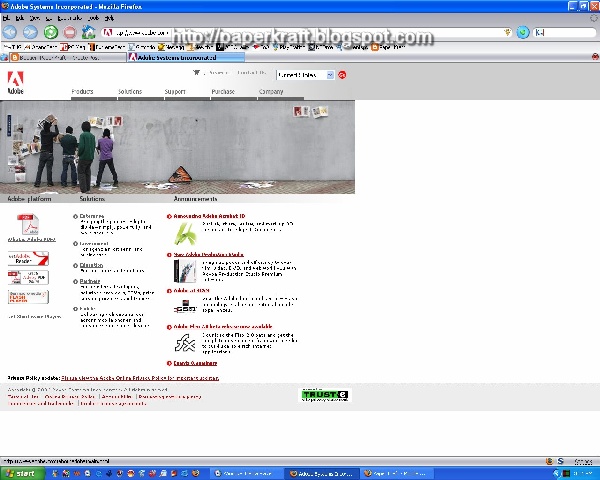
First, we have the most widely used pattern, the PDF file, as I've mentioned before, the PDF file is an Adobe technology for formatting electronic documents so that they can be easily viewed, distributed, edited, and printed on different systems while preserving the layout(fonts, images, graphics). To view a file on PDF format, you will need Adobe Acrobat Reader which you can easily download for free from Adobe's web site. This free PDF viewer is only good for viewing and printing PDF files, if you plan on creating or converting files to PDF format, you would have to buy either the standard or professional Adobe Acrobat software, in which case, you would be paying between $299 to $449 - so unless you really need it I suggest you stick with the free reader for now. Once you've downloaded the free reader and installed it, it will automatically start whenever you view a PDF file.


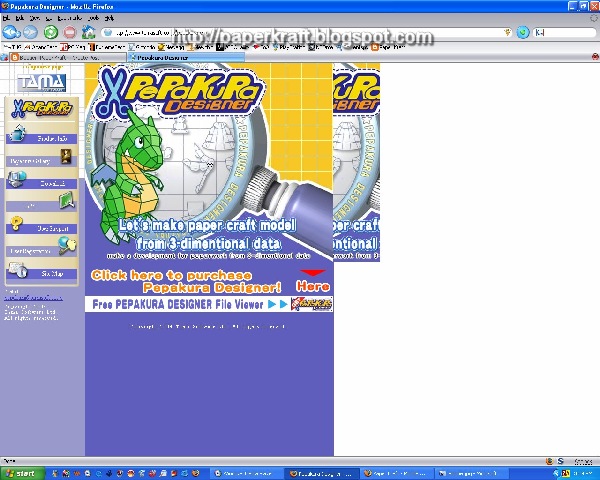
The second most widely used paper craft pattern is the PDO file, the PDO file is from a Japanese company called Tama Soft, their software is called the Pepakura , there are two varities one is the Pepakura Designer and the other is the Pepakura Viewer, like Adobe's software, the Pepakura Designer (as the name implies) is for creating PDO files and is worth $38, the Pepakura Viewer on the other hand is free, which is what I like the most ( I guess we all do).


Pepakura Viewer - FREE - English Version

The other paper craft formats, but not widely used, are in JPG (Joint Photographic Experts Group) and GIF (Graphic Interchange Format), these are really just picture formats that came from a converted PDF or PDO file. They can be viewed with any graphic editing/viewing software such as Microsoft Paint, IrfanView, Google's Picasa, etc...

Thursday, February 9, 2006

Paper Craft Tools

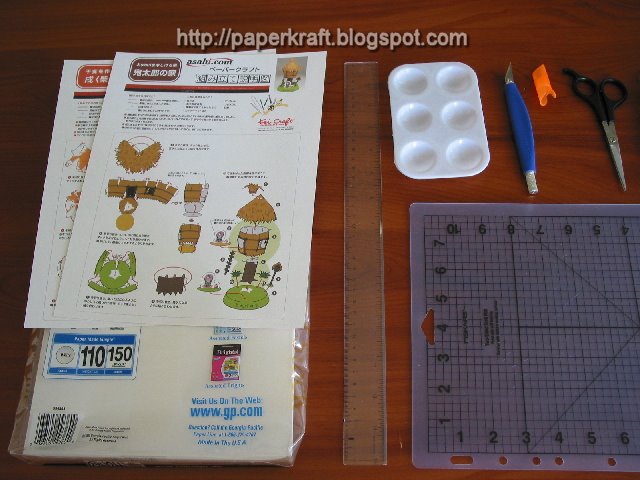
I received a lot of inquiries from people that are just starting or new to paper crafts about what particular tools and paper I use, nothing fancy here, I just bought my entire paper craft tools from walmart. Here is a list of basic tools for starting with paper craft:

  1. Craft Knife - If you want a knife that would last, I recommend the Fiskars brand, the one with the ergonomic shape, replaceable blade, and SoftGrip technology for maximum comfort and control (I use blade #11).
  2. Craft Mat - this is where you are going to do your paper cutting, I prefer the "self-healing" mats. (I use a 9"x12").
  3. Scissors - any kind of narrow tip/blade scissors would do.
  4. Glue - any type of crafting glue would do, but I prefer the ones that dry clear ( I use Elmer's white glue)
  5. Small Plastic Paint Pallete - this is optional, I just use this to hold my glue in small amounts.
  6. Ruler - any 12" would do.
  7. Printer - any type of colored/bubble jet printer or you could also get your stuff printed at your local print shop.
  8. Paper - you could use any brand of paper, as long as they are:
  • Heavy A4 (210 x 297 mm) or regular (215.9 x 279.4 mm) paper
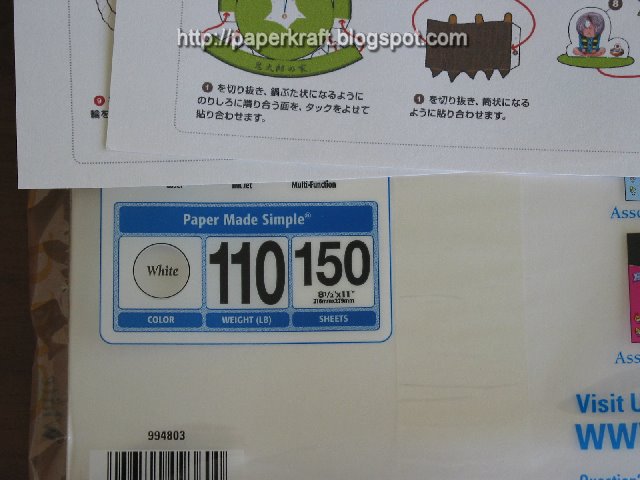
  • 110 to 135 lbs (0.16 to 0.18mm thick) - this is also known in the U.S. as Card Stock Paper

Wednesday, February 8, 2006

About Paperkraft.net

Who are you?

My name is Ron Rementilla and I run Paperkraft.net to help guide people find the best free papercrafts on the web and promote the works of prominent and up-and-coming paper modelers, even the obscured ones.

I started blogging in February of 2006 after a friend saw some of my papercraft collection at home which included books, kits, and printed patterns from the internet, she put the idea in my head about sharing it through blogs. Prior to this, I've been collecting papercraft books and kits since I was a kid, most of the old ones that I have are of the punch-out type and paper automatas. My collection of free downloadable papercraft patterns from the net only started in 1997. I'm based in the U.S. and work in the technology field.


What's with the Name?

The term paperkraft doesn't have any specific meaning, just a short unique name. But ever since we've started back in 2006, "paperkraft" has now been synonymous to "papercraft" and can even be interchanged.


The Content

Sometimes new readers get confused with the content that we have and it's because of the word "papercraft". Depending on your geographic location, papercraft can refer to a lot of different things, but I want to point out that the main focus of this site is on 3D (three-dimensional) paper models. Whenever you see the word "papercraft" it refers to "3D paper models". The types of genre included are anime, manga, video game, PC game, cartoon, and film. Also included are origami, paper automata, pop-up cards, and dioramas.


Subscribe to Paperkraft.net

Stay in touch with us through an RSS feed or Email subscription.


Delivered by FeedBlitz


You can use my contact page to get in touch or you can also leave comments on my blog posts to let me know of your suggestions and opinions.

Have Fun!